REVIEW · SELF-GUIDED TOURS
Rome+Jubilee Audioguide – TravelMate app for your smartphone
Book on GetYourGuide →Operated by MyWoWo Srl · Bookable on GetYourGuide
Rome gets easier with one tap. This Rome+Jubilee audioguide in the TravelMate app lets you wander at your own speed, with a voice that explains what you’re seeing plus extra curiosities tied to the city and the Jubilee theme. Best part: you don’t need paper tickets or a fixed start time.
I especially like that you can replay the audio as many times as you want, and it stays available for a long window (it’s listed as valid for 1095 days from first activation). You also get both online and offline listening, so you’re not stuck if data is spotty.
One drawback to plan for: this is a phone-based guide, so your experience depends on your battery and a working app. One low rating note complains it was unfuctionable, so I’d do a quick test after downloading.
In This Review
- Key points worth your time
- Download, Activate, and Hit Play Anywhere in Rome
- What 91 Audio Clips Means for Your Pace (271 Minutes Total)
- Ancient Rome Stops: Colosseum to Capitoline Viewpoints
- Squares and Classics: Navona, Trevi, Pantheon, and the Long Centerline
- Vatican City in Phone Form: San Pietro, Sistina, and Raffaello Rooms
- Art, Churches, and Villas: From Borghese to Villa Farnesina
- Rome Moments That Feel Personal: Bocca della Verità and the Lateran Side
- Cost and Trade-Offs for This Self-Guided Rome Audio Tour
- Should You Book the Rome+Jubilee TravelMate Audioguide?
- FAQ
- How do I start the Rome+Jubilee audio guide?
- Where do I find the activation code?
- Can I listen offline?
- How long is the guide valid?
- What languages are included?
- How much audio content is included?
- Can I read the audio content text?
- Is the activity wheelchair accessible?
Key points worth your time

- No meeting point to start: download and begin wherever you are in Rome.
- Offline listening available: keep going even with weak signal.
- Repeatable audio: the guide doesn’t force you to move on after one pass.
- Short, practical tracks: 91 audio items totaling about 271 minutes.
- Text alongside audio: you can read the content in the app too.
- Multiple languages: Italian, German, French, Chinese, English, Spanish, Russian.
Download, Activate, and Hit Play Anywhere in Rome

This experience works like a self-guided walk with a professional voice. You’ll download the app called TravelMate (it’s listed as TRAVELMATE on the store). On Android, grab it from the PlayStore. On iOS, download the TravelMate TM app from the AppStore.
There’s no real “meet your guide” moment here. The start is simply: download the app, then start your experience straight away wherever you prefer. That’s a big deal in Rome, where the best route often depends on crowds, weather, and where you happen to be when you decide to start listening.
To use it, you need an activation code. You’ll find it in your email by clicking Show activity details (or Show your tickets here). Then you’ll look at the barcode inside an orange frame. The activation code is the 10-digit number directly under the barcode. If you’re using the GetYourGuide app, you can tap Show ticket in the App and find the barcode there the same way.
Once it’s active, the app includes audio in several languages: Italian, German, French, Chinese, English, Spanish, and Russian. If you’re traveling with a mixed-language group, this setup is handy because each person can listen using their own phone and preferred language.
Two practical extras I like: there’s a quiz section to play and learn with short questions, and you can read the text of the audio files in the app if you want to switch modes.
You can also read our reviews of more tours and experiences in Rome



What 91 Audio Clips Means for Your Pace (271 Minutes Total)

The guide content is presented in two slightly different ways in the details you provided. One part lists 91 audio content items with a total of 271 minutes. Another part describes the included audioguide as 88 audio content items totaling 262 minutes.
Either way, the structure sounds like “walk-and-learn” listening: many short sections instead of one long lecture. If you do the quick math, 271 minutes across 91 clips averages about 3 minutes per item. That’s perfect for Rome, where you might only have a small window between lines, viewpoints, and photo stops.
Also, you get autonomy in a very literal sense: you can listen online or offline, and you can play the guide as many times as you want. That changes how you plan your day. Instead of trying to cram everything once, you can do a first pass to get the story, then return later and listen again while you’re standing in the same spot with calmer energy.
A note on how to use that repeat ability without turning your day into a phone marathon: treat each cluster (ancient sights, Vatican sights, major squares) like a mini-program. Put in headphones for the time you’re actually observing, then take them out to recharge and watch what’s happening around you.
If you want a safer, smoother experience, use earphones. Earphones are recommended in the details, and it just makes the audio easier to follow in busy areas. Plus, since the smartphone is yours, you’re not sharing a device with anyone else. That’s a small comfort that matters more than people think on public days.
Ancient Rome Stops: Colosseum to Capitoline Viewpoints

The audio guide covers the heavy hitters of ancient Rome, starting with the Colosseum area. You’ll also get stops for the Roman Forum and the Forum of Trajan, plus Campidoglio e Musei Capitolini and the Vittoriano e Aracoeli area. Then it flows into Piazza Venezia and nearby ancient-feeling viewpoints.
Here’s why this section works well as an audio route. These places are close enough that your ears can stitch them into one story. As you move from the Colosseum to Foro Romano and then to Foro di Traiano, the guide is set up to explain history, points of interest, and curiosities you can notice while you’re looking around. You don’t have to be an expert before you arrive because the format is designed to translate what you see into plain context.
Campidoglio e Musei Capitolini is a nice next step because it changes the vibe from “ruins at ground level” to “think about how the city faces itself.” Even if you’re not focused on museum time, the audio content here can help you connect the view lines—what you’re looking at and how the different parts of the hill relate to each other.
Piazza Venezia is another smart listening stop because it’s a square with a lot of momentum. Your attention keeps moving, so having the guide in your ear helps you stay oriented: you’ll get the points of interest and the little details that make the location feel less generic.
Then the guide includes Terme di Caracalla. This is a great candidate for an “I want less rush” moment. If you time it well, you can use the audio to slow down and enjoy the space rather than just race through it.
One practical consideration: this whole ancient cluster can be demanding if you’re walking nonstop. The app’s repeatable nature helps here. You don’t need to listen to everything in one go. If you get tired, you can pause audio and just enjoy the sights, then resume later.
Squares and Classics: Navona, Trevi, Pantheon, and the Long Centerline

Rome loves a good square, and this guide leans into that. You’ll find audio for Piazza Navona, Piazza di Spagna, Fontana di Trevi, and the Pantheon. You also get Piazza del Popolo, plus Via del Corso in the list of stops.
What I like about using an app at squares is that it keeps your eyes busy. These are places where you can stand and stare for ten minutes, yet still feel like you didn’t learn anything. The guide’s job is to prevent that. It’s built to tell you what you’re looking at: points of interest and curiosities, tailored for the spots you’d naturally pause at.
Piazza Navona and Piazza di Spagna are especially good for this phone-guided approach. They’re visual, lively, and full of details you might miss if you’re just walking by. You can listen while you stand, then take the audio out of your ears and do what Rome does best: wander without obsessing over the next checklist item.
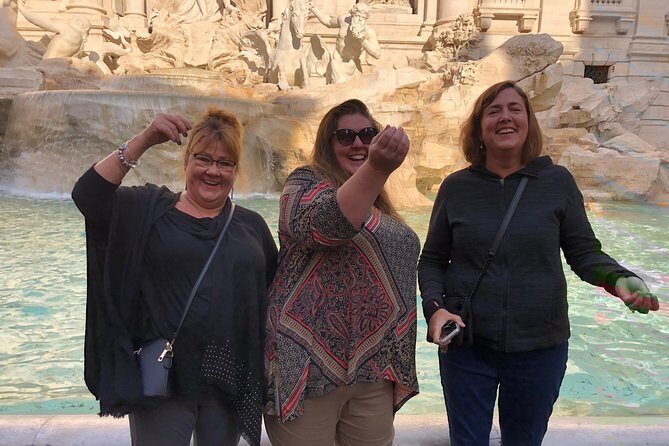
Fontana di Trevi is another prime example. You’ll get to the moment, listen to the audio, then check your own impressions afterward. If you want to be extra efficient, do one short listening session there, then come back later without the pressure of hearing everything right then.
The Pantheon can be a strong “anchor stop” because it tends to pull people into the same spot to look. When you know you’ll have an explanation to match your gaze, it feels less like a background sight and more like part of a connected route.
Piazza del Popolo and Via del Corso also matter because they’re about the city’s movement. Even if you’re not aiming for a specific viewpoint, the audio can help you understand what you’re passing through and what’s worth slowing down for.
Vatican City in Phone Form: San Pietro, Sistina, and Raffaello Rooms

You get a full Vatican stretch in the audio list: San Pietro, Musei Vaticani, Cappella Sistina, Palazzi Vaticani, and Stanze di Raffaello. That’s a lot of iconic content, and it’s exactly the kind of thing that can overwhelm you if you show up without a plan.
Using an audio guide helps because the pacing becomes yours. Instead of trying to read everything on-site or memorize a route, you can listen to the relevant track while you’re there and then decide how long to stay. You can also switch languages if you need to.
A smart way to use this section is to pick your “must-listen” stops ahead of time: for many people that’s San Pietro, then Cappella Sistina, and then the Stanza di Raffaello audio. The rest (Musei Vaticani and Palazzi Vaticani) can be used as supporting context. That way, even if your day gets interrupted by crowds or fatigue, you still come away with the core experience.
Important practical note: Vatican interiors often mean rules about photography, quiet zones, and general behavior. The data you provided doesn’t spell out those rules, so follow whatever guidance is posted on-site. The app gives you audio and text options, but the on-the-ground rules still run the show.
Also, this section is a great use case for offline listening. If you expect long time in busy indoor areas, offline reliability can save you stress. The guide is explicitly set up for online or offline playback, so plan your day accordingly and avoid last-minute connectivity problems.






Art, Churches, and Villas: From Borghese to Villa Farnesina

This audioguide isn’t only ancient monuments. It also covers major art and religious architecture, which can feel more rewarding when you have a voice to translate what you’re seeing.
You’ll see stops like Galleria Borgheese, plus several churches: Chiesa di Santa Maria della Vittoria, Chiesa di San Luigi dei Franceschi, and Chiesa di Santa Maria Maggiore. Then there are two villa stops listed: Villa Giulia and Villa Farnesina.
Here’s the value of having an audio guide for this kind of content. These are places where the key details can be hard to catch at a glance. When you can read the audio text inside the app, you’re not forced into listening only. If you want to quickly understand what you’re looking at, text can help you orient. Then you can go back to listening if you prefer the spoken explanation.
Galleria Borgheese is a good example of why you might choose an audio app over paper guides. A museum can tempt you into wandering randomly. With the TravelMate audio, you can focus your attention on specific “points of interest” the guide has already mapped out, without needing to commit to an entire multi-hour path at once.
For the churches, the guide covers each stop with history and curiosities. Even if you don’t want to spend a long time inside every single one, you can do a shorter, higher-quality visit: listen for a track, notice what the guide tells you to look for, then move on.
Villa Giulia and Villa Farnesina are nice because villas let you shift away from the thick crowds around the big monuments. With audio, you can treat them like a calmer chapter: less “run to the next landmark,” more “pause and observe,” using the guide to keep you oriented.
Rome Moments That Feel Personal: Bocca della Verità and the Lateran Side

Not every great Rome stop is a front-of-the-postcard landmark. This guide includes some of the city’s more character-driven experiences and major churches.
You’ll find Bocca della Verità, which is listed as a specific stop. That’s the kind of location where an audio track can help you understand the cultural significance and what you’re seeing, so it doesn’t turn into a one-second photo moment.
You also get San Giovanni in Laterano and San Paolo Fuori le Mura. These are ideal for a second day or a later part of your trip when your “big sights” energy is lower but your curiosity is still high. The guide’s structure—history, points of interest, curiosities—fits well here because you can listen at your own tempo and avoid getting rushed by other people’s schedules.
Quirinale and Via del Corso are also included. Those stops help link different parts of the city into a coherent walk, especially if you’re building routes that zigzag across central Rome. If you’ve ever tried to plan Rome only with street maps, you know how easy it is to feel lost. The audio guide makes those moves feel purposeful.
And if you want variety, the guide also includes Piazza Venezia, Piazza del Popolo, and multiple churches plus the villas. That mix means you’re not trapped in a single neighborhood or theme.
Cost and Trade-Offs for This Self-Guided Rome Audio Tour

At $4.52 per person, you’re paying for audio content and convenience—not a live guide. That’s the core trade-off. A human guide can respond to your questions in real time and adjust on the fly. An app guide can’t do that.
But the benefits are practical and real:
- Total autonomy: no paper tickets, no need to collect something at a counter.
- Repeatable access: you can use the audio on your smartphone as many times as you want.
- Online or offline: you get flexibility depending on where signal is available.
- Text included: you can read the audio files in the app.
- Your device: it says your smartphone is yours, avoiding contact with third-party devices.
- Wheelchair accessible: the activity is listed as wheelchair accessible.
The biggest real-world risk is the one theme hinted by the lowest review: if the app doesn’t work properly on your phone, you might feel stuck. That doesn’t mean it will happen to you, but it’s smart to do a quick check before you commit your best listening hours. Test audio playback after downloading, and make sure offline listening works if you expect to be without data.
Who is this best for? You’ll likely be happiest if you:
- Like flexible schedules and spontaneous detours.
- Prefer listening at your own pace instead of syncing with a group.
- Want a low-cost way to get structured explanations in multiple languages.
- Plan to revisit spots or want a “second listen” later.
Who might not love it? If you need hands-on guidance, or you dislike managing phone tech during travel days, you may find a guided format easier.
Should You Book the Rome+Jubilee TravelMate Audioguide?

I’d book this if your goal is simple: get a structured, multilingual Rome story that works offline, costs very little, and doesn’t lock you into one group’s rhythm. The stop list is broad—from Colosseum and Roman Forum to Vatican highlights like San Pietro and Cappella Sistina, plus churches, villas, and iconic squares. That variety helps you feel like you covered more than just the top three postcards.
I’d think twice if you rely on apps for everything and you’re not comfortable troubleshooting your phone. The occasional low rating note about it being unfuctionable is a reminder to test playback early.
If you want a Rome plan that’s light on logistics and heavy on self-directed learning, this one fits. Download it, activate it, and use it like a personal soundtrack while you walk.
FAQ
How do I start the Rome+Jubilee audio guide?
There’s no meeting point listed. Download the TravelMate app, activate it using your code, and start your experience wherever you prefer.
Where do I find the activation code?
It’s in the email. Open Show activity details or Show your tickets here, then find the barcode in the orange frame. The activation code is the 10-digit number just under the barcode. You can also find it via the GetYourGuide app.
Can I listen offline?
Yes. The guide can be listened to online or offline.
How long is the guide valid?
It’s listed as valid for 1095 days from your first activation.
What languages are included?
The audio guide is included in Italian, German, French, Chinese, English, Spanish, and Russian.
How much audio content is included?
It’s described as 91 audio content items totaling 271 minutes, and it’s also described as 88 audio items totaling 262 minutes in the included section.
Can I read the audio content text?
Yes. You may read the text of the audio files in the app.
Is the activity wheelchair accessible?
Yes, it’s listed as wheelchair accessible.