REVIEW · NAPLES
Campania: Pompei+Herculaneum+Vesuvius audio guide
Book on GetYourGuide →Operated by ITGUIDES · Bookable on GetYourGuide
Smartphone audio can change Pompeii. This Campania bundle gives you self-paced audio for the big-name sites plus Naples, all inside the ITGUIDES app on your own phone. I like that the audio is organized into sections for large, complex stops (think Pompeii and Herculaneum big houses), so you can jump from room to room without getting lost.
I also like the practical navigation help: the app uses maps and geo localization to guide you to the next point of interest, especially for outdoor areas like Vesuvius. One thing to think about before you buy: the app experience can depend on your device and how smoothly the app behaves, and there are a few reported iOS issues and clarity problems in some rooms.
If you’re the type who wants to wander on your terms and just need good context, this works well. If you rely on phones that jump between apps a lot, you’ll want a backup plan for battery and screen switching.
In This Review
- Key takeaways before you go
- What this Campania audio bundle really is (and why it costs $11)
- Pompeii at your pace: how the app handles the big domus experience
- Herculaneum ruins: smaller scale, still lots to track
- Vesuvius and outdoor points: use the geo guidance, not guesswork
- Oplontis (Villa di Poppea): the stop many guides barely touch
- MANN Naples Archaeological Museum: making art and artifacts feel usable
- Naples city center audio: good for orientation, not a replacement for wandering
- Price and value: does $11 beat other options?
- Phone setup that keeps your day smooth
- Does the audio delivery stay consistent?
- Wheelchair access and pacing
- Who this fits best (and who should think twice)
- Should you book this Campania audio guide bundle?
Key takeaways before you go
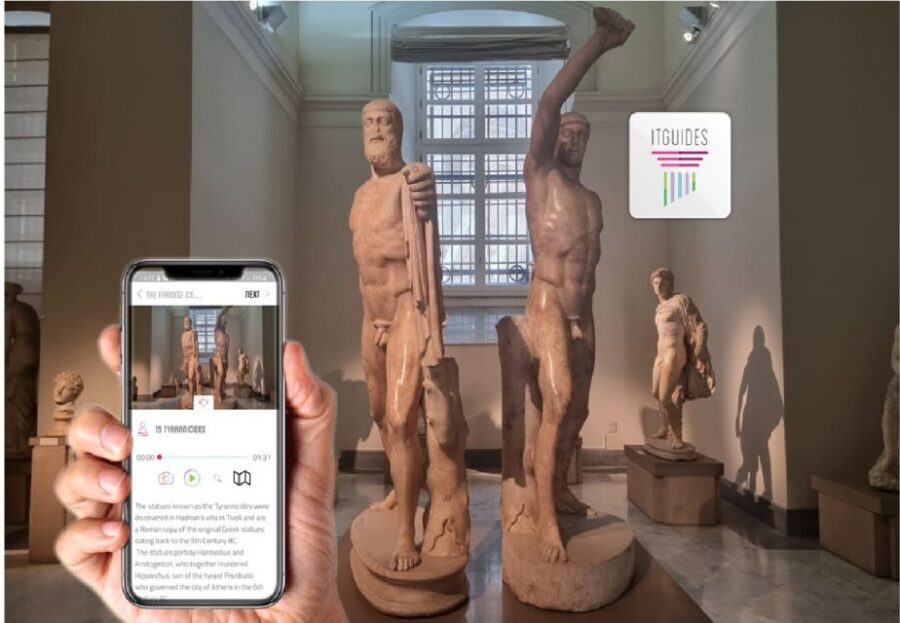
- One app, multiple Campania highlights: Pompeii, Herculaneum, Vesuvius, Oplontis (Villa di Poppea), MANN (Naples Archaeological Museum), and Naples city center
- Geolocation for outdoor stops: the app is designed to point you to where you are on the ground
- Sectioned audio for big sites: larger areas like Pompeii and Herculaneum are broken into smaller chunks, including famous houses such as the Menandro area and House of Cervi
- You control the pace: no meeting point, no group schedule, and you can start right after purchase
- Tech support inside the app: there’s WhatsApp contact support if you hit snags
- Download strategy matters: plan to download with good signal or Wi-Fi, and bring a power bank
What this Campania audio bundle really is (and why it costs $11)
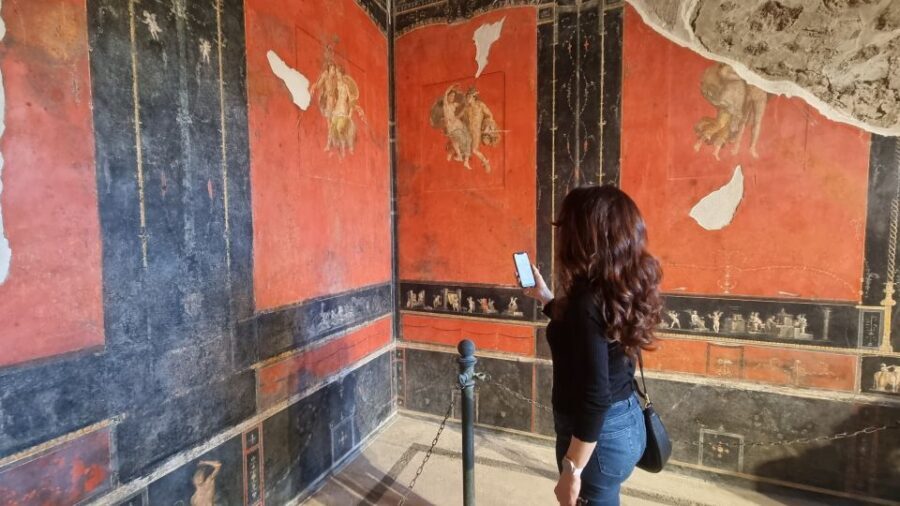
This is not a guided tour with a person walking beside you. It’s a smartphone audio guide package from ITGUIDES, covering major archaeology and art stops across Campania. The listing is priced at $11 per person, and that price is the whole point: you’re buying one digital product that covers a lot of ground.
For your money, you’re getting audio for:
- Pompeii
- Herculaneum
- MANN (Naples Archaeological Museum)
- Vesuvius
- Villa di Poppea (Oplontis)
- Naples city center
A smart detail is how the content is structured. At huge sites, an audio guide can turn into chaos. Here, the guide is split into smaller sections so you’re not stuck with a single long track that covers everything from the entrance to the farthest corner.
The other value driver is ownership. The materials are described as something you can keep, so you’re not burning the audio like a one-time pass.
You can also read our reviews of more guided tours in Naples


Pompeii at your pace: how the app handles the big domus experience

Pompeii is one of those places where you can easily walk for hours and still feel like you missed the story. The guide approach here is meant to fix that by pairing audio with navigation.
Here’s what to expect in practice:
- The audio is geolocated and designed to help you reach points of interest as you move through the site.
- More complex areas, including large domus/house sections in Pompeii, are divided into multiple parts. That means you can focus on one area at a time instead of trying to listen through everything while constantly scanning for context.
- Some named areas and houses are referenced in the way the content is sectioned, including big house zones such as the Menandro area.
A real-world tip: headphones matter. You can technically listen without them, but earphones keep you from losing audio every time someone walks by or you step into a busier corridor. If you’re the type who likes to read a label, listen first, then look. You’ll find you understand what you’re seeing faster.
Possible drawback: if your phone switches apps (camera or maps) and the audio player behavior changes, you may have to restart or re-find where you were. That’s not a dealbreaker, but it’s the kind of friction that can make Pompeii feel more exhausting than it should.
Herculaneum ruins: smaller scale, still lots to track
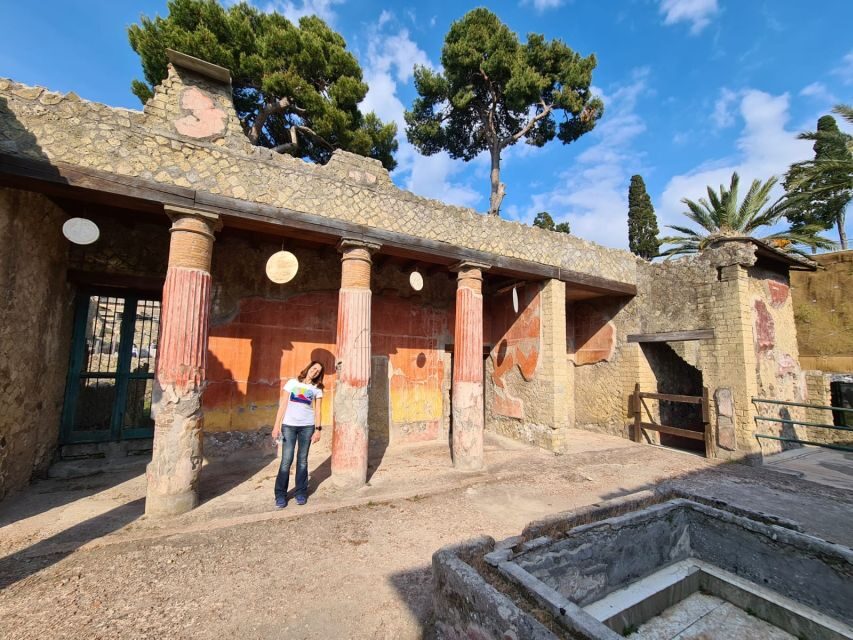
Herculaneum is often less crowded than Pompeii, but it’s not small. The ruins still stretch across multiple areas, and the best way to enjoy them is the same: stay oriented.
This app’s structure helps you do that:
- Herculaneum audio is also split into sections for large areas (including famous houses and complex zones).
- The app’s maps and geo localization are meant to guide you to the next point of interest, so you’re not constantly guessing where the audio expects you to be.
- The guide supports the type of slow walking that makes ruins feel more human, not just impressive.
If you like history told in clear, bite-sized chunks, this is where sectioning tends to pay off. Herculaneum’s best moments are often tiny details: a space that suggests daily life, a room layout, the way a building fit into its street. When audio is divided cleanly, you spend more time looking and less time searching.
One caution from reports is that some navigation markers may not always be flagged perfectly. That can mean you arrive at a location and the app is slightly off. When that happens, don’t panic. Use the map view, then continue listening through the sections and match the audio to what you’re seeing.
Vesuvius and outdoor points: use the geo guidance, not guesswork
Vesuvius is partly about the view, and partly about how you move around the mountain. This guide includes Vesuvius audio, and the app notes that outdoors attractions are geolocated.
What that means for you:
- You can use your phone to guide you to the audio’s intended points of interest.
- Instead of listening to a track from wherever you happen to be, you’re nudged toward the correct stop.
Practical move: treat Vesuvius like a battery test. Outdoor time usually means lots of photos, lots of map checking, and spotty signal at elevation. If you can, start your outing after you’ve already downloaded content when you have decent connectivity. Bring a power bank because a dead phone is the one problem you can’t audio your way out of.
Also, if the phone is your navigation tool, try not to hammer it by constantly switching between camera, maps, and the audio app. Reports point out that iOS can behave oddly when you switch away, including resetting certain settings. On that kind of day, keep the audio running as your main app.
Oplontis (Villa di Poppea): the stop many guides barely touch
Oplontis is where you can feel smart for choosing it. The Villa di Poppea audio is included in this bundle, and it’s positioned as a major covered site, not an afterthought.
Why that matters: many Campania day plans center on Pompeii and Herculaneum only. Oplontis gives you another angle on the region’s Roman wealth and daily-life contrasts, and it’s a place where audio guidance can help you connect the layout to the story.
The app’s same general logic applies:
- It’s organized to support navigation across the site.
- Complex areas are split into parts, so you can avoid getting stuck with one long playback.
If you like slower, less crowded archaeology, Oplontis is a strong candidate to spend time on. And if you’re the type who enjoys comparing “what’s similar” and “what’s different” across sites, Oplontis is a good matchup against Pompeii’s scale and Herculaneum’s preservation.
You can also read our reviews of more tours and experiences in Naples





MANN Naples Archaeological Museum: making art and artifacts feel usable
MANN can be the hardest museum to do alone, because it’s a lot of rooms and a lot of objects. The value of an audio guide here is not the facts themselves. It’s helping you decide what to look at first and how to connect the dots while you’re inside.
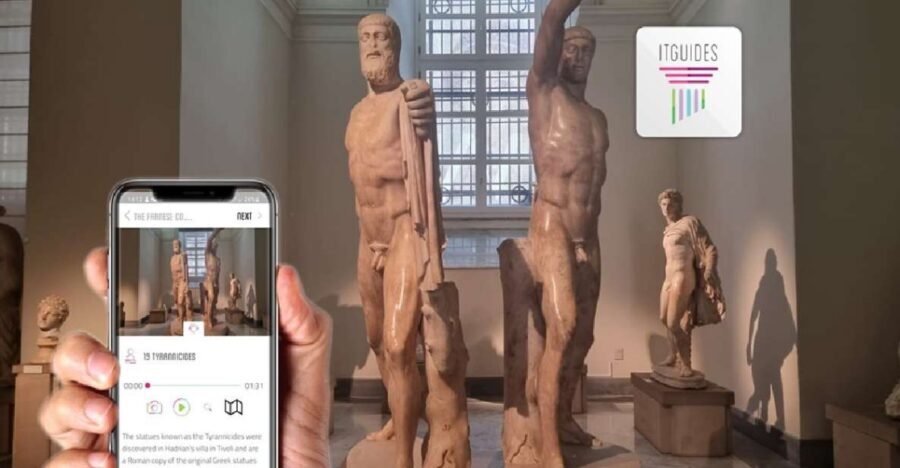
This bundle includes MANN audio and specifically notes that larger collections are broken into sections. That matters because the museum’s highlights are distributed across different areas. Instead of you wandering randomly, you can follow the audio’s structured route.
The guide also covers major thematic collections, including:
- Farnese collection
- Egypt collection
Those two alone suggest you’ll get more variety than a single-style museum audio track. And if you like museum audio that doesn’t drown you in one endless lecture, sectioning keeps things practical.
One caution: reports include a complaint that the app wasn’t always clear on which room you were in, with different reference points appearing throughout the experience. That’s fixable if you stay flexible—use museum signage and your phone map as the tie-breaker, not the audio reference alone.
Naples city center audio: good for orientation, not a replacement for wandering
The bundle also includes Naples city center audio. The data doesn’t spell out exact highlights or routes, so I’ll be careful here: think of it as a helpful add-on for a self-guided stroll rather than a strict walking itinerary.
When audio works best in a city center:
- you use it to understand what you’re seeing as you pass it
- you treat it like extra context for your photos
- you keep it short when you’re in busy areas and save longer listening for calmer streets
Naples changes fast street to street, so a phone audio track is safest when you use it lightly and let the city set the pace.
Price and value: does $11 beat other options?
Let’s talk value. $11 per person sounds almost too good for what’s included, and that’s where this product shines.
You’re not just paying for one site. You’re paying for a bundle that covers:
- Pompeii
- Herculaneum
- Vesuvius
- Oplontis
- MANN
- Naples city center
And it’s designed for independence. No meeting point means you can plan your days around tides, crowds, heat, and whatever your stomach wants for lunch.
Also, one review specifically highlighted that the price felt unbeatable compared with buying audio guides on-site, estimating it would cost more than double to get separate guides in person. Even if your exact in-person costs differ, the logic holds: this is best seen as a cost-saver for people who want audio for more than one major stop.
Realistic caution: you still need your own phone, headphones, and the patience to manage audio app quirks. If your phone can’t handle the app smoothly, you might decide you’d rather rent a traditional guide. But if your setup is solid, the price-to-content ratio is strong.
Phone setup that keeps your day smooth

This is a self-guided product, so you’re the “crew.” The small habits make a big difference.
What you need based on the provided info:
- an Android or Apple smartphone
- earphones are best, though not required
- a good download plan with Wi-Fi or solid cellular signal
- a power bank is useful during visits
Two smart behaviors:
1) Download everything before your busiest day. The app instructions say to download with good signal or Wi-Fi. Museum and outdoor areas often punish spotty coverage.
2) Keep the audio app front-and-center as much as possible. There are reported iOS bugs where switching to camera or maps can reset voice dialogues and even the city/map chosen. You don’t need to “never switch,” but don’t freestyle when you’re mid-track.
If you hit a technical issue, the app includes a WhatsApp contact for support. That’s a big deal for self-guided travel, where you’re not standing next to a human who can troubleshoot.
Does the audio delivery stay consistent?
This package is designed to be practical, and most of the audio is organized well. The stronger praise points to:
- an intuitive user interface
- accurate maps
- clear organization that helps you not feel tired
- sectioning that makes complex sites manageable
But there are also criticisms you should know:
- some users reported that the app wasn’t clear on room-to-room navigation inside buildings
- some iOS users reported voice/dialogue resets when switching apps
- one complaint mentioned audio recordings by a woman that felt amateur
So here’s the balanced take: the structure is the main strength. If structure is what you want, you’ll likely be happy. If you want a flawless experience with no tech friction, you may find rough edges, especially on iOS.
Wheelchair access and pacing
The activity is listed as wheelchair accessible. Because this is a self-guided app, accessibility in the real world will still depend on the site’s physical paths and entrances. Use the audio as you move and choose routes that match your mobility needs.
If you plan to move slower, sectioning can actually help you. You can listen to one chunk, take breaks, and come back to the next part without restarting the whole story.
Who this fits best (and who should think twice)
This bundle is a good fit if:
- you like exploring at your own pace and don’t want to follow a group
- you want audio for multiple major sites in Campania
- you prefer content split into manageable sections rather than one long lecture
- you’re comfortable using your phone for navigation
You might think twice if:
- your phone is prone to app resets or you’re worried about iOS switching behavior
- you prefer crystal-clear room targeting in museums and buildings
- you don’t want to manage downloads and battery life
The good news is that support is built in via WhatsApp, and there’s also an in-person support address listed in Naples where you can get help and a special discount on ticketing for a visit (at Complesso Monumentale Sant’Anna dei Lombardi, Piazza Monteoliveto, 4, 80134 Napoli NA, Italy). That kind of safety net is reassuring for a self-guided product.
Should you book this Campania audio guide bundle?
Book it if you want a smart value way to cover Pompeii, Herculaneum, Vesuvius, Oplontis, and MANN with audio that’s organized to match how you actually move through these places. The $11 price is the biggest selling point, and the app’s sectioning plus geo help are exactly what you need for large ruins and a big museum.
Skip it (or at least be cautious) if your main concern is a perfectly frictionless phone experience. The reported iOS bugs and occasional navigation clarity issues mean you should go in with a prepared setup: download ahead, keep your battery ready, and don’t let constant app switching derail you mid-visit.
If you’re planning a Campania week and want your day to feel independent rather than chaotic, this audio bundle is a practical way to do it.