REVIEW · AUDIO TOURS
Naples: Pompeii Self Guided Audio Tour
Book on GetYourGuide →Bookable on GetYourGuide
Pompeii gets way easier with phone audio. I like how this ITGUIDES guide turns your smartphone into a site-by-site companion, with 60+ geolocated stops and short audio you can follow at walking pace. Two things I especially like: it’s cheap for what you get, and the guide is yours to reuse on future visits. One drawback to plan for: you have to download the content ahead of time because cell service can be weak inside the excavations.
You’ll spend about 4 hours starting when you first activate the guide, and you can start where you want since there’s no fixed route. The app is built around a map, so it’s practical when the site is busy and signage can feel like a scavenger hunt. Just be ready for normal Pompeii caveats like restoration work and occasional closures, plus a couple app quirks that can slow you down if you’re not patient.
In This Review
- Key Highlights at a Glance
- Pompeii at Your Pace, With a Geolocated Map in Your Pocket
- What You Actually Get: ITGUIDES App, Offline Content, and 60+ Stops
- Your 4-Hour Self-Guided Route: Amphitheater to the House of the Vettii
- The Food, Baths, and Wool-Stuff You’ll Remember Afterward
- Setup Tips That Prevent Most Smartphone Frustrations
- Restoration, Closed Areas, and How to Keep Your Plan Flexible
- Price and Value: Why $4.70 Feels Fair for Pompeii
- Who This Works Best For (and Who Might Prefer a Human Guide)
- Should You Book This Pompeii Smartphone Audio Tour?
- FAQ
- Is the Pompeii entrance ticket included?
- How long is the audio guide valid?
- Do I need a cell signal inside Pompeii?
- Is there a meeting point?
- What app do I use for the audio tour?
- What languages are available?
- Is the tour wheelchair accessible?
- Can I cancel for a refund?
- Can I listen to it more than once later?
Key Highlights at a Glance
- Geolocated audio map with 60+ points of interest so you can find the good stuff without guessing
- Amphitheater, House of the Vettii, lupanare, baths, and daily life topics packed into short, readable segments
- Download for offline use since internet in the archaeological site is often unreliable
- Guide stays yours forever for repeat visits, not just a one-time ticket
- Setup support and step-by-step unlocking via the app contact page
Pompeii at Your Pace, With a Geolocated Map in Your Pocket
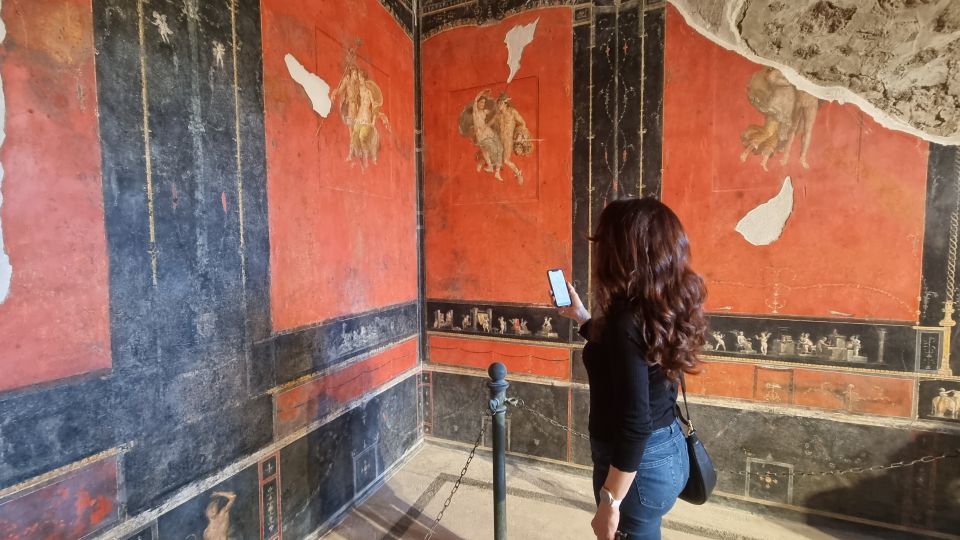
Pompeii is one of those places where a fixed tour can feel too rushed. This experience is different. It’s self-guided, so you move when you want, linger where you care, and skip what doesn’t grab you. You’re not tied to a group schedule, and that matters because Pompeii rewards slow looking—especially when frescoes and mosaics are close to the ground and easy to miss.
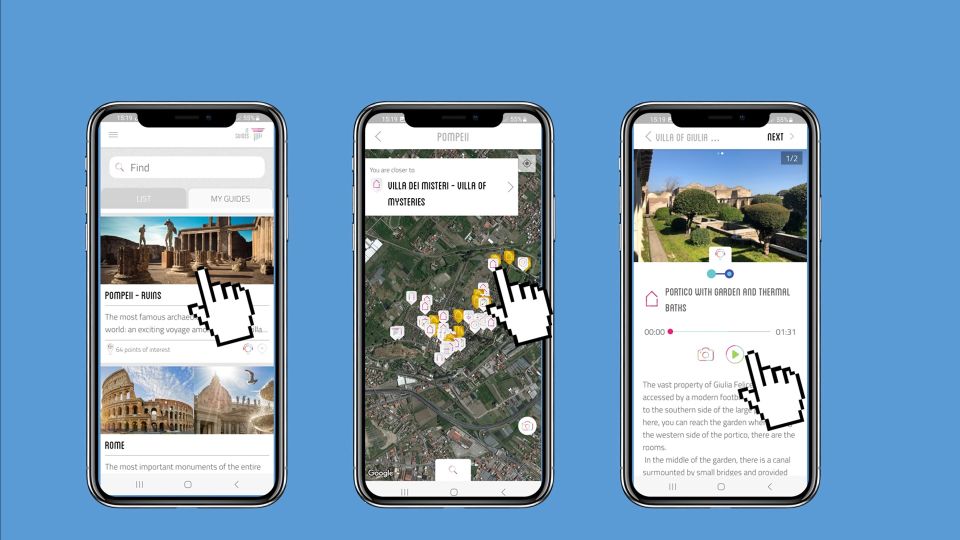
The heart of the experience is the geolocated map inside the ITGUIDES app. Each point of interest has audio, and you also get photo and text support. That mix is useful because sometimes you’ll want the quick story, and other times you’ll want a short written reminder while you stand in front of a wall painting.
Two other practical wins are the price and reusability. The guide costs $4.70 per person, and the experience description claims you can save more than 50% compared with buying an audioguide at the ticket office. Even better, the guide is yours to keep, so if you come back to Pompeii later, you’re not starting from zero.
The main consideration is technical, not historical: it’s only as smooth as your offline setup. The guide explicitly says internet reception inside the ruins can be poor, so you’ll get the best results if you download everything before you enter the site.
What You Actually Get: ITGUIDES App, Offline Content, and 60+ Stops
This is delivered through the ITGUIDES app. After purchase, you download the app from your phone’s store, then you unlock the Pompeii guide from inside the app. The instructions are straightforward: open the app, go to the menu, find the contact page, and send your app user ID plus your GetYourGuide order number. After that, the Pompeii guide is unlocked for your device.
Language coverage is broad: Italian, English, French, German, and Spanish. That’s a big deal at Pompeii, where you don’t always want to rely on whatever narration you find on site.
Inside the guide, you’re not stuck with only audio. You’ll also see written descriptions in hypertext form. The really handy part is that you can click on names of gods, heroes, or technical terms for extra context. That’s especially useful at Pompeii, because a lot of what you’re looking at connects to Roman religion, public life, and everyday routines.
One practical note that you should treat seriously: download the guide contents locally before you start walking through Pompeii. The experience description calls out that internet connection is not good in the archaeological site. Some reviews also point to this as the difference between a smooth day and a frustrating one.
As for duration, the guide is valid 4 hours from first activation. So you can do a quick, meaningful circuit, or stretch it out if you’re stopping for more reading and photos.
Your 4-Hour Self-Guided Route: Amphitheater to the House of the Vettii
Because this is self-guided, you’re not forced into a single rigid order. But the guide is clearly built around Pompeii’s “big moments,” and those are the same places you’ll want most days.
Start with the big public spaces. The amphitheater is one of the first stories many people want, and this guide covers it with audio that focuses on what the space meant and how the games worked in Roman life. If you like to understand a site as a living machine—not just a pretty ruin—this is a strong entry point.
Next, shift into domestic Pompeii with the House of the Vettii. Houses are where Pompeii turns from “wow, old buildings” into a real picture of daily routines. This guide includes not just what to look at, but also why certain design choices mattered—so you can stand in a courtyard and feel less like you’re reading labels off a wall.
From there, you can follow the guide’s stops to places that reveal Roman contradictions. One example is the lupanare, commonly described as a brothel. It’s not a topic that gets handled delicately by everyone, but having guided context helps you look at the site with less guesswork and more understanding of how Romans structured entertainment and commerce.
The guide also supports other major themes beyond famous domus. You’ll find points tied to how Roman baths worked, plus explanations that connect architecture to routine. That matters because Roman bathing wasn’t just “take a bath.” It was a whole system of spaces and temperatures.
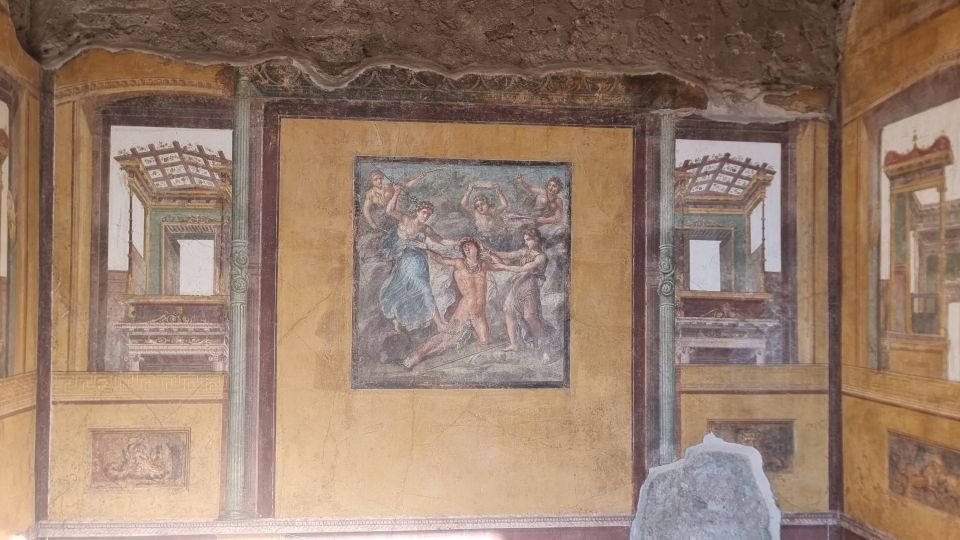
If you want a visual rhythm, the app map highlights points that include some of the best preserved frescoes and mosaics. That’s helpful when you’re surrounded by fragments, and you want to spend your limited time where you’ll see the strongest surviving artwork.
The Food, Baths, and Wool-Stuff You’ll Remember Afterward

Pompeii is famous for its big ruins, but it’s the small-life details that stick. This guide leans hard into that. You’ll get stories about what people ate in ancient Roman taverns, and you even get practical explanations about how bread was made. Those are the kinds of details that transform a visit from a history lecture into a human snapshot.
One of the most memorable topics included is the use of urine for wool processing. It’s not something you’d likely infer from ruins alone, and that’s why the audio format helps. When a point-of-interest triggers a short story, you’re more likely to remember it because you’re anchoring the idea to the place.
The baths section also helps you understand the site’s engineering side. Roman baths were organized systems. When you hear how different areas worked together, you start noticing clues in the remains—what’s aligned, what seems heated, what suggests circulation.
You’ll also see practical “what you’re looking at” support. The guide includes photos and text alongside audio, so if your attention wanders for a minute (or you’re surrounded by other visitors), you can catch up quickly without losing the thread.
Some reviews highlight that the audio clips are not too long and are easy to listen to. That pacing matters in Pompeii, where wind, sun, and crowd noise can make long lectures less enjoyable.
Setup Tips That Prevent Most Smartphone Frustrations

The biggest factor in a good experience here is setup. The guide tells you to do your groundwork before entering the excavations, and that’s exactly where most issues can happen.
Here’s what I’d do if I were planning your day:
- Install and unlock before you walk in: download ITGUIDES, then use the in-app contact page to send your app user ID and order number.
- Download all files with a good signal or Wi‑Fi so you’re not stuck relying on weak reception in the ruins.
- Try the free demo if you want to test how the app feels on your phone first.
Support is also a real part of the experience. One review specifically mentions quick help during installation and unlocking, with a person named Vincenzo described as very kind and available. That’s reassuring, especially if you’re not a tech person or you’re traveling on a tight schedule.
Now for the part to be honest about: the app experience isn’t perfect. A few reviews point out small interface problems. For example, after listening to an audio clip, the app sometimes takes you back to the map and zooms out so you have to zoom back in to find your location. Another issue is that if you leave the app to take a photo, the guide can restart.
Also, there’s a detail-marker inconsistency: some reviews report that the check mark that shows you visited a point might not appear correctly when there are multiple audio clips at the same stop. Even in those cases, audio playback can still happen, but it can be annoying if you rely heavily on the map markers to plan your next move.
If you’re the type who hates friction, consider this a heads-up. If you’re okay with a little fiddling—especially early on while you’re getting oriented—you’ll likely be happy with how much you can cover.
Restoration, Closed Areas, and How to Keep Your Plan Flexible

Pompeii is still an active archaeological site. That means construction and restoration can change what you see on the day you visit. Reviews mention that some places can be closed due to restoration work.
Because this is self-guided, flexibility is built into the experience. If one domus is off-limits, you can move to the next geolocated point and keep your momentum. The app map also gives you a sense of how points connect across the site, so you’re not constantly guessing which direction to go.
One tip: prioritize the stops that are most important to you before you start hopping around. If frescoes and mosaics are your priority, use the map cues to steer your time toward the points marked as best preserved in the guide.
Price and Value: Why $4.70 Feels Fair for Pompeii
Let’s talk value without pretending this is a miracle deal. $4.70 for a 4-hour smartphone guide is extremely low, especially for a site as dense as Pompeii. The experience claims a 50%+ savings over buying an on-site ticket office audioguide, which lines up with how you should think about it: you’re paying for guidance and context, not for a staff-led tour.
What makes the price feel justified is the structure. You aren’t just getting one audio track; you’re getting:
- 60+ geolocated points
- audio + text + photo support
- a map that helps you navigate between stops
- multiple language options
That’s a lot of content for the money, especially if you’re comfortable using your phone. And since the guide is yours for future visits, even small value concerns shrink—because you can reuse it on another trip.
At the same time, the low price is also why you should expect some app rough edges. You’re paying for content and a map, not for a live human to fix problems on the spot. If you need handholding, you might prefer a guided tour with a person in charge.
But if you’re budget-conscious and you want control of your pace, this is one of the better deals in the “audio guide category.”
Who This Works Best For (and Who Might Prefer a Human Guide)
This self-guided format fits best if you like control. You’ll love it if you:
- prefer exploring at your own speed
- want an orientation tool that tells you where to go next
- enjoy short stories about specific places like the amphitheater or House of the Vettii
- want offline navigation support inside the ruins
It’s also a good match for families or students who don’t want to run after a guide every few minutes. One review praises the detail level for learning with daughters, and that makes sense: the audio plus text links give you multiple ways to understand what you’re looking at.
This might be less ideal if you:
- dislike troubleshooting phone apps
- need a guide to answer spontaneous questions
- strongly prefer a human to interpret what you see without any screen interaction
For what it’s worth, even among the positive notes, people still stress doing the offline prep. So if your phone is your weak spot, give yourself time at the start of the day.
Should You Book This Pompeii Smartphone Audio Tour?

If you want Pompeii with structure but without a group schedule, I think this booking makes sense. The best argument is the combination of low price, geolocated points, and practical daily-life storytelling—bread, baths, taverns, and even wool processing details like urine. That mix is exactly what helps a big site feel personal.
I’d book it if you’re comfortable with the app, and especially if you’ll take the time to download the content before entering. The one “don’t ignore this” point is that internet can be spotty inside the ruins, and the app experience depends on offline access.
Skip it only if you strongly dislike smartphone navigation, or if you want a live guide handling every question in real time. For most people, though, this is a smart way to cover key Pompeii highlights for a tiny fraction of the cost of an on-site audioguide.
FAQ
Is the Pompeii entrance ticket included?
No. The guide experience does not include the Pompeii site entrance ticket.
How long is the audio guide valid?
It’s valid for 4 hours from the first activation.
Do I need a cell signal inside Pompeii?
You’ll want to download the contents locally before going in, because internet connection in the archaeological site is not good.
Is there a meeting point?
No. This is an autonomous self-guided activity with no meeting point.
What app do I use for the audio tour?
You use the ITGUIDES app. After purchasing, you download the app, then unlock the Pompeii guide using your app user ID and your order number.
What languages are available?
The guide is available in Italian, English, French, German, and Spanish.
Is the tour wheelchair accessible?
Yes, it’s listed as wheelchair accessible.
Can I cancel for a refund?
Yes. Free cancellation is available up to 24 hours in advance for a full refund.
Can I listen to it more than once later?
Yes. The audio guide is yours forever, so you can reuse it on next visits.